QSMART · DOHA, QATAR
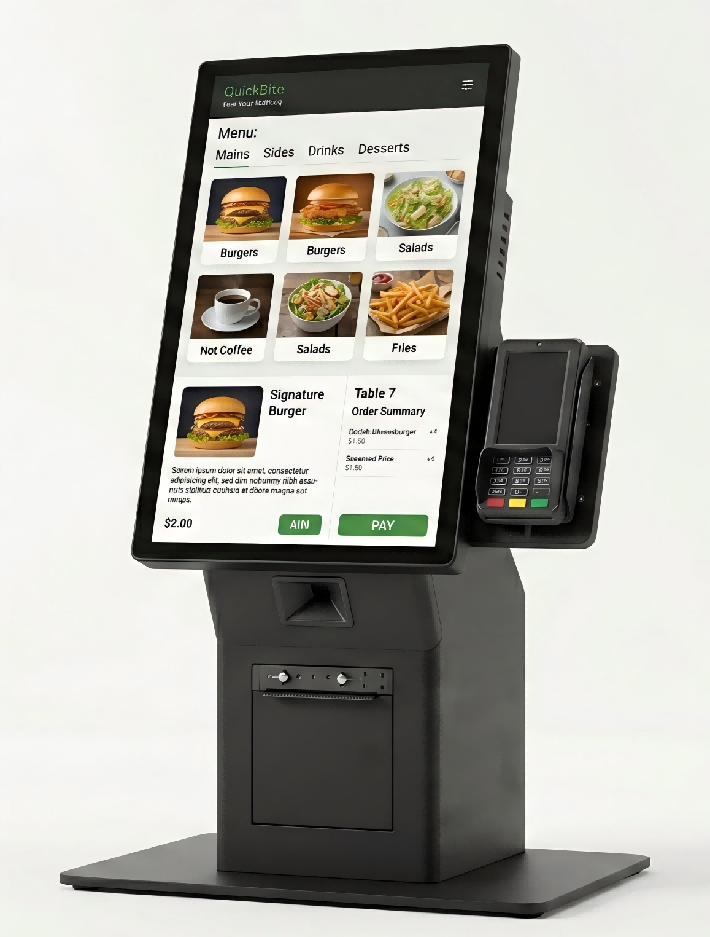
21.5-inch Desktop Payment Kiosk
Tabletop Displays LCD display. One available configuration.
Choose options & view priceSelect your configuration, then enter your company details to see its QAR price.
Need help choosing? Contact QsmartConfigure your display
Select the options you need. Pricing applies to your exact configuration.
Full specifications
Display class: Standard resolution Desktop Payment Kiosk Color: Black Resolution: 1080*1920 Brightness: 350 nits Capacitive touch version 80mm Built-in thermal printer QR scanner/POS holder Windows i5 4thGen 4gbRAM+128gbSSD (licensed) Wi-Fi/USB/LAN Selected configuration: 21.5inch / PCAP touch
Planning this display for your space
Floor-standing displays can introduce promotions, directions and visitor information in shops, reception areas and events. Match the cabinet footprint and screen orientation to the space available.
Placement and circulation
Mark the complete cabinet footprint on the floor before ordering. Check that people can pass comfortably and that doors, reception desks and emergency routes remain accessible. Include cables and any base plate in the layout.
Orientation and content
Prepare a sample portrait design at the proposed resolution. Check how photographs, maps and bilingual text fit without stretching. For a double-sided display, agree whether the two faces show independent content or mirror each other.
Stability and delivery
Ask for overall dimensions, weight and fixing requirements. Check the delivery route, lift dimensions and final positioning method. A floor-standing cabinet should not be assumed portable simply because it is free-standing.
Daily updates
Identify who uploads content and how the display reconnects after a network outage. Ask which content software is included, which features require a subscription and whether remote updates need an internet connection.
Questions to confirm before ordering
Should a promotional kiosk have touch?
Touch is useful when visitors need to select information or complete a task. For a repeating promotion or announcement, a non-touch display may provide a simpler workflow.
What is included in installation and support?
Ask for mounting, cabling, delivery, commissioning, software setup and warranty terms to be listed in the quotation. Coverage varies by product and project; confirm the agreed scope before payment.