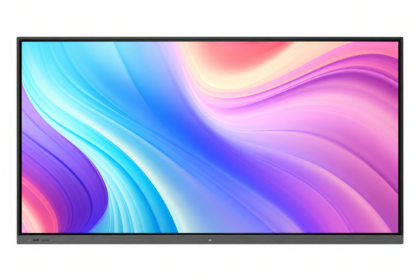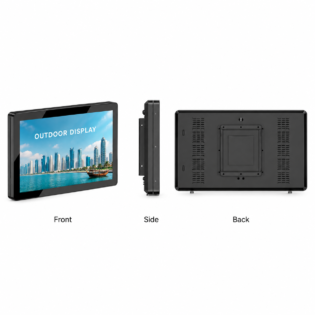
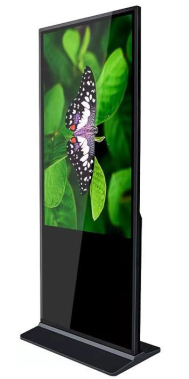
A commercial display should fit the place where people will see it and the job it needs to perform. A reception screen, outdoor menu board and meeting-room whiteboard may all use digital display technology, but they need different brightness, construction and controls. Qatar’s Digital Agenda 2030 provides wider context for the country’s continuing digital transformation.
Start with the viewing environment
For indoor spaces in Doha, consider viewing distance, available wall or floor space, ambient light and whether the screen will run throughout the day. Outdoor locations need a weather-resistant enclosure, higher brightness and careful heat management. A consumer television is rarely designed for these operating conditions.
Choose the interaction
Non-touch screens suit advertising and information. IR touch is useful for larger interactive displays. PCAP touch provides a familiar glass-surface experience for kiosks and wayfinding. Then select the operating system, processor, memory and storage that match your content.
Compare a complete quotation
Ask for the display, mounting or stand, software, delivery, installation, warranty and any optional cooling or protection as separate items. Qsmart lets you select an exact configuration and request its QAR price with the full specification.
Compare the complete solution
| Display format | Useful starting point | Confirm before selecting |
|---|---|---|
| Commercial LCD | A fixed-size information or advertising screen | Orientation, operating schedule and input compatibility |
| Indoor modular LED | A wall-sized display built to module increments | Pixel pitch, buildable dimensions and controller capacity |
| Interactive display | Writing, collaboration or visitor input | Touch workflow, applications and peripherals |
A planning example
For a reception area, start with the visitor’s viewing position and the messages you need to show. A directory viewed nearby needs a different layout from a brand video visible across the room. Test one realistic content sample on the proposed screen before deciding. Record whether the screen will face glazing and whether the cabinet or mount restricts access behind it.
Practical planning checklist
Start with the job the display needs to do, then compare hardware and installation together. A useful quotation identifies the exact configuration and who is responsible for each part of the project.
Write a short brief
Record the location, intended audience, screen orientation, approximate size and operating schedule. Include photographs and the viewing distance. Describe whether visitors only watch content or need to interact with it.
Separate included and optional items
Ask for the display, mount, computer, software, delivery and installation to be identified clearly. List recurring licences separately from one-time costs. Compare quotations against the same brief so missing items are visible.
Plan the site
Check the access route, mounting surface, power and network availability. Qatar indoor and exterior locations can present very different environmental conditions; verify the exact model’s operating limits for the chosen position.
Agree acceptance and support
Define the content and connection tests required at handover. Confirm the warranty period, exclusions, service process and contact details in writing. Keep the product identifier, approved configuration and quotation together for future support.
Questions to confirm before ordering
What should I send when requesting a quotation?
Share the intended location, screen type or size, quantity, viewing distance, content source and installation requirements. If those are undecided, start with photographs and a description of the job.
What is included in installation and support?
Ask for mounting, cabling, delivery, commissioning, software setup and warranty terms to be listed in the quotation. Coverage varies by product and project; confirm the agreed scope before payment.