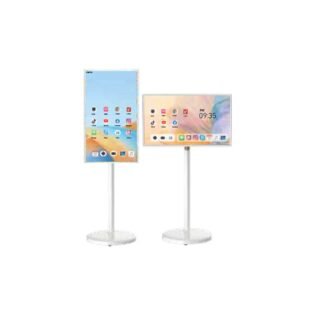
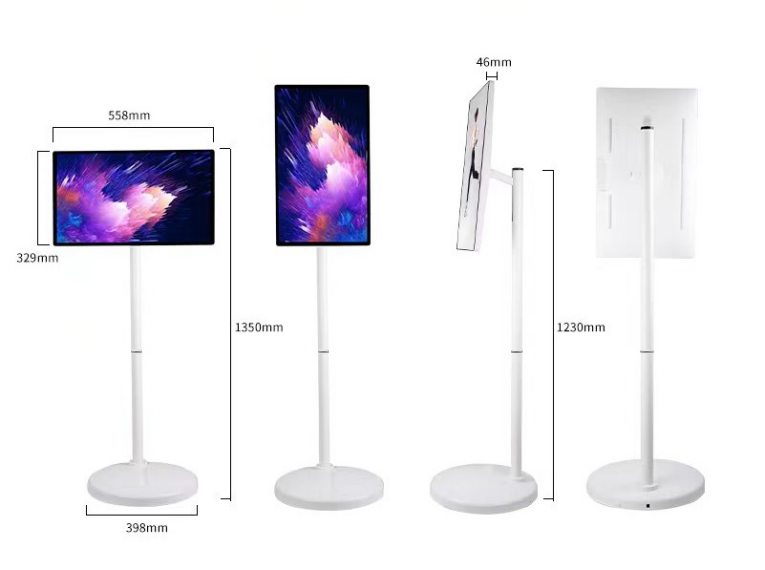
Portable smart displays combine a touchscreen, battery, camera and mobile stand. They can move between rooms without a permanent wall installation, making them useful for flexible offices, training, events and presentations.
Check mobility and battery
Compare screen size, stand adjustment, rotation, wheel stability, battery capacity and charging requirements. Battery duration depends on brightness, workload and wireless use.
Choose the platform
Processor, Android version, RAM and storage affect responsiveness and application support. Confirm screen casting, Wi-Fi, camera, USB-C and any required Google services before ordering.
Match the model to the task
A 24-inch model may suit close interaction, while 27- or 32-inch displays provide a larger shared view. Each Qsmart size and model is listed separately with its available memory configuration.
Compare mobility beyond the battery
| Area | Record | Verify |
|---|---|---|
| Movement | Rooms, thresholds and storage space | Wheel stability and stand adjustment |
| Runtime | Brightness, apps and session length | A relevant battery estimate |
| Shared use | Accounts and connectivity | Sign-out, casting and charging routine |
A planning example
For a display shared between meeting rooms, plan a home position for charging and storage. Test it on the route between the rooms, including lift access and floor transitions. Assign responsibility for returning and charging it. Keep any adapters with the unit and verify that a user can start the required application without relying on another person’s signed-in account.
Practical planning checklist
Portable smart displays are useful when presentations and touch applications move between spaces. Check mobility, charging and software compatibility as carefully as screen size.
Routes and stability
Check door widths, thresholds and the floor surfaces between rooms. Confirm wheel locks, stand adjustment and the supported orientation. Plan how the display will move safely while protecting cables and the screen.
Battery expectations
Ask for runtime under a stated brightness and workload. A battery capacity figure alone does not predict how long a video call or continuous playback session will last. Identify a charging location that does not obstruct circulation.
Apps and connectivity
List the required apps and test casting from the devices your team uses. Confirm the operating system, updates and any service restrictions for the exact model. Do not assume phone or tablet app support transfers unchanged.
Shared use
Plan separate accounts or a sign-out process where different teams use the display. Check camera and microphone controls before a meeting. Provide a short handover card covering charging, input switching and whom to contact for help.
Questions to confirm before ordering
Can a battery-powered display run all day without charging?
That depends on the exact battery, brightness and workload. Request a runtime estimate for your use case and plan charging around it; do not treat maximum advertised runtime as a guarantee.
What is included in installation and support?
Ask for mounting, cabling, delivery, commissioning, software setup and warranty terms to be listed in the quotation. Coverage varies by product and project; confirm the agreed scope before payment.