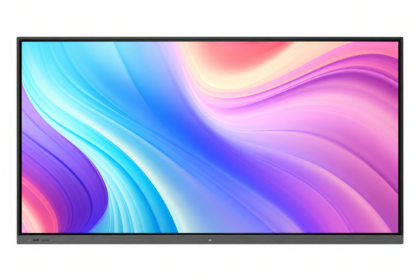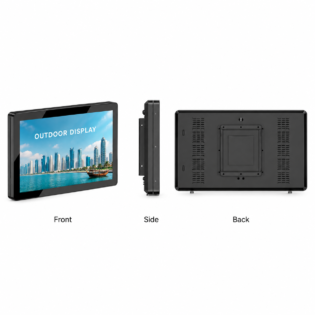

The largest screen is not automatically the best screen. The right size depends on viewing distance, content, orientation and the amount of space around the installation.
Close-range viewing
Smaller wall-mounted displays work for counters, shelves and detailed information viewed nearby. Touch interfaces also need controls that remain comfortable at the chosen screen height.
Room and storefront viewing
Medium and large screens make presentations, menus and promotions easier to read across a room. For outdoor signs, visibility is affected by distance, sunlight, traffic direction and mounting height.
Use the actual dimensions
The diagonal size does not describe the full enclosure. Ask for product dimensions and allow for brackets, ventilation, cables and maintenance. Qsmart separates each size into its own product so its compatible options and quotation remain clear.
Compare measurements consistently
| Measurement | LCD display | Modular LED screen |
|---|---|---|
| Size | Diagonal plus enclosure dimensions | Buildable width and height |
| Detail | Native panel resolution | Pixel pitch and total pixel count |
| Installation | Bracket and ventilation clearance | Structure and service clearance |
A planning example
For a boardroom, place a representative slide at the intended screen position and assess it from the furthest chair. Check captions and table cells, not only the presentation title. Record any glare and whether seated participants block the lower edge. Use the result to refine both screen size and the content template before requesting a final configuration.
Practical planning checklist
Screen size should follow viewing distance and content detail. Compare the complete enclosure dimensions and mounting position, not only the diagonal measurement.
Nearest and furthest viewers
Measure both the closest normal user and the furthest viewer. Close users need comfortable interaction and adequate resolution; distant viewers need large, clear content. One dimension alone does not describe both needs.
Content trial
Use a representative slide, menu or interface and assess its smallest text. Try the real aspect ratio before choosing a larger panel. A simpler layout may improve readability more than a small increase in diagonal size.
Physical fit
Check enclosure width, height, depth and weight. Include mounting hardware, ventilation and service access. Photograph obstacles such as doors, ceiling features and furniture so the quotation can reflect the actual installation.
Comparing technologies
LCD sizes are normally described by a diagonal; modular LED screens are described by width, height and pixel pitch. Compare usable area and resulting resolution for the intended content rather than treating these measures as interchangeable.
Questions to confirm before ordering
Is there one correct viewing-distance formula?
No single rule covers every content type, eyesight level and room. Use distance as a starting point, then verify with representative text and images at the actual location.
What is included in installation and support?
Ask for mounting, cabling, delivery, commissioning, software setup and warranty terms to be listed in the quotation. Coverage varies by product and project; confirm the agreed scope before payment.